
The short answer
Choose the smallest tool that addresses your current constraint. NEDIO fits when you want a timer, instrumental audio, and a saved session outcome together. An audio app, standalone timer, blocker, accountability service, or task manager may fit better when that is the only missing layer.
How we compared the apps
We checked the products' official feature and pricing pages on October 8, 2026 and grouped them by their primary mechanism: sprint workflow, audio, timer, task management, phone blocking, accountability, or customizable workspace. NEDIO publishes this comparison and is one of the products listed.
The table compares documented product shape and access, not measured gains in focus, debugging speed, or completed work. We did not run a controlled head-to-head test of all eight apps. Statements about fit below are conditional recommendations based on the features shown, and current prices and limits should be confirmed with each vendor before purchase.
Who this is for / when this applies
This page is for developers who already know they need some external structure, but are not sure whether that structure should come from a timer, a music engine, a task manager, or a more developer-specific sprint workflow. It applies when your workday includes high-cognitive tasks like debugging, implementation, refactoring, code review, interview prep, or after-hours side projects, and you want a focus app that helps you begin work faster and protect one real block of concentration.
It is less useful if your main problem is project planning, backlog management, or team coordination. A focus app can help you enter a work block, but it does not replace a project manager, ticket system, or notes tool.
What makes a focus app good for developers
Developers usually need three things from a focus app. Several tools on this list—Pomofocus most directly—are built as a Pomodoro technique app or timer application first, and everything else is layered on top of that one mechanism.
First, it has to reduce startup friction. If the app asks you to organize your whole life before you can start a 35-minute bug-fix sprint, you will often procrastinate inside the tool instead of inside the code.
Second, it should match the attention profile of the task. Deep debugging and architecture work need stronger protection and fewer decisions. Code review or interview drills may benefit from shorter intervals or lighter background audio. A good tool does not force one work mode onto every task.
Third, it should make progress visible. Even a simple “I completed two real focus blocks” signal can be more useful to a developer than a giant dashboard. NEDIO's product positioning fits this narrower need especially well: sprint-based work blocks, instrumental focus audio, session tracking, and low setup friction, without pretending to be a project management suite.
8 best focus apps for developers compared
This shortlist covers the main kinds of apps for focus and concentration without pretending they are interchangeable. Use the table to choose a category first; the detailed reviews below explain the tradeoffs.
The labels describe product roles, not an overall ranking.
| App | Best for | Core focus mechanism | Starting price | Choose it when… |
|---|---|---|---|---|
| NEDIO | Coding sprints | Timer + instrumental audio + session record | Free tier; Pro $11.99/mo or $119.90/yr | You want one low-friction tab for a bounded coding block. |
| Brain.fm | Audio-first focus | Engineered, personalized focus music | $14.99/mo or $99.99/yr | Your workflow is settled and sound is the missing layer. |
| Endel | Adaptive ambience | Context-aware soundscapes | Subscription; varies by platform and promo | You want background sound that changes with your context. |
| Pomofocus | Simple online Pomodoro | Customizable work and break timer | Free | A clear countdown is all you need. |
| Focus To-Do | Timer plus personal tasks | Pomodoro + task management | Free tier; Premium from ~$9.99/yr | You want capture, reminders, and intervals together. |
| Forest | Phone distraction control | Gamified timer + app blocking | Free with ads (Android) or a few dollars one-time (iOS) | Picking up your phone breaks otherwise-good coding blocks. |
| Focusmate | Human accountability | Scheduled virtual coworking | Free (3 sessions/week); Plus ~$8–12/mo | You start more reliably when another person is present. |
| Flocus | Custom focus dashboard | Timer + tasks + ambience + stats | Free forever tier; Plus ~$5/mo | A visual workspace helps you settle into the session. |
Public features and displayed prices checked October 8, 2026. Regional prices, promotions, and product limits can change.
1. NEDIO: timer, instrumental audio, and session record together
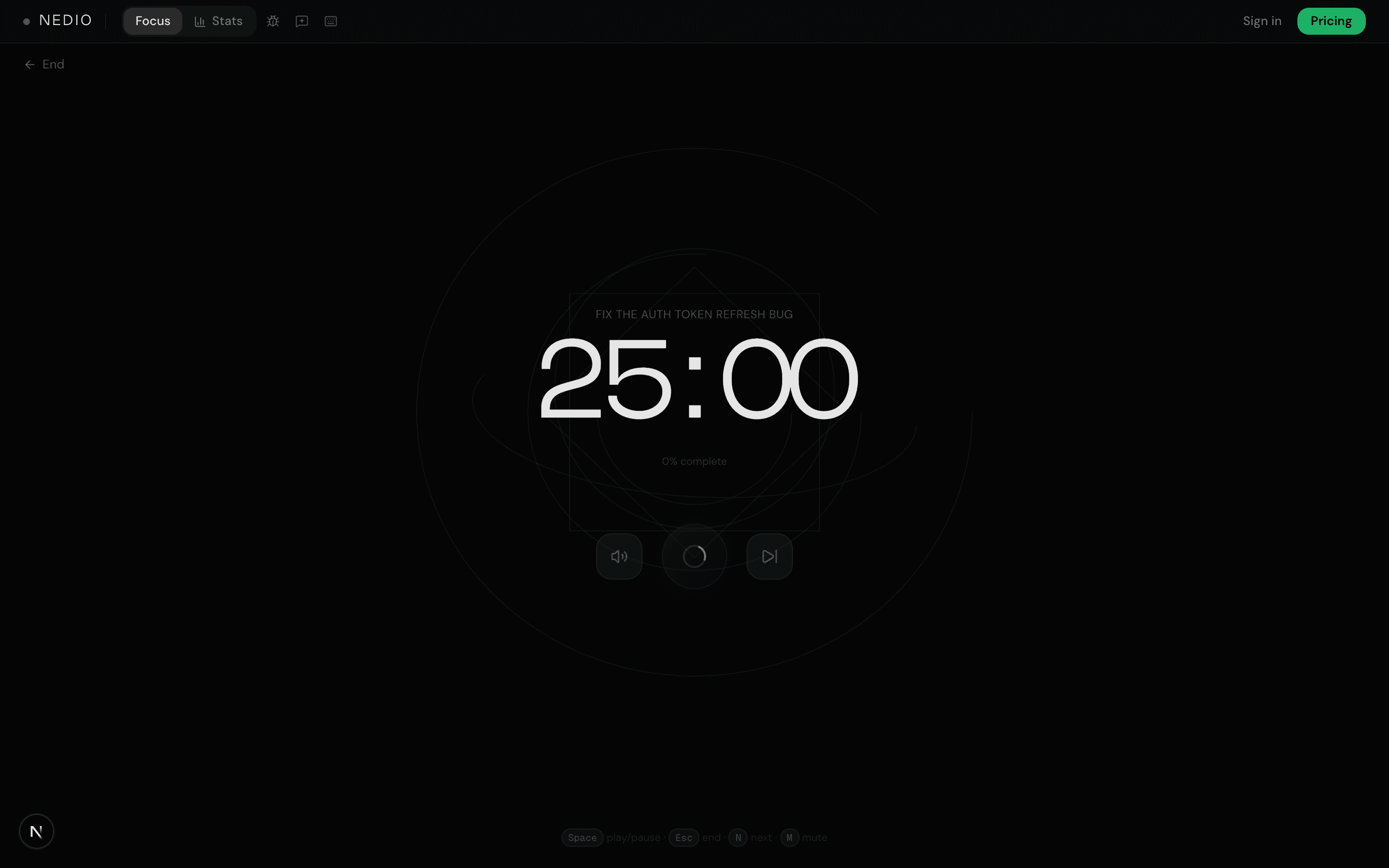
NEDIO is designed for a bounded coding session: name the task, choose a work mode and interval, start instrumental audio, then record the outcome and next action. It does not replace backlog planning or task management.
Choose it when those three functions would otherwise live in separate tools. If you already have a timer and an instrumental playlist that do not create extra decisions, the bundle may add little.
2. Brain.fm: best for audio-first focus
Brain.fm is a better pick than NEDIO when the main thing you want is engineered focus music. On its homepage, Brain.fm emphasizes one-click focus, music optimized for different tasks, no lyrics, and extra-long tracks designed to avoid interruption. It also uses an onboarding quiz to tune the experience, and frames the product as personalized focus music rather than a coding workflow tool.
That makes Brain.fm attractive for developers who already have a timer they like, or who do not want much workflow structure at all. If your biggest problem is distracting audio environments, repetitive office noise, or the time it takes to find non-distracting music, Brain.fm may be better than NEDIO.
But it is still mainly an audio-first product. If you want the audio plus the sprint container plus session record in one developer-centered flow, NEDIO is the more complete fit.
3. Endel: best for adaptive ambient soundscapes
Endel is designed for people who want sound to react to context. The company describes its product as real-time personalized soundscapes that adapt to inputs like time of day, weather, heart rate, and location, with autoplay selecting Focus, Relax, or Sleep modes based on your current state. It also highlights platform breadth across mobile, Apple Watch, and smart speakers.
That makes Endel appealing when your work rhythm changes throughout the day and you want more ambient support than active sprint structure. It can be a good fit for reading-heavy code review, documentation work, or lower-intensity sessions where you want the environment to feel supportive without committing to a tighter workflow.
Choose NEDIO instead when you want an explicit coding goal, timer, and close-out record rather than an adaptive soundscape that stays mostly in the background.
4. Pomofocus: best for simple browser-based timing
Pomofocus is a strong option when you want a lightweight timer and very little else. It is a Pomodoro technique application in the strictest sense—its site describes the app as a customizable Pomodoro timer that works in desktop and mobile browsers, with basic features like estimates, templates, visual reports, and custom focus and break settings. Premium features add project tracking, yearly reports, downloadable reports, Todoist integration, and webhooks.
For developers who already know the Pomodoro method works for them, this simplicity is the appeal. Pomofocus is fast to open, easy to understand, and good for interview drills, short reading sessions, or recurring maintenance work.
Still, Pomofocus is timer-first. It does not try to provide the same developer-specific combination of sprint framing, instrumental audio, and session record that makes NEDIO attractive for deeper coding blocks.
5. Focus To-Do: best for timer plus task list
Focus To-Do sits on the other side of the spectrum from Pomofocus. The product combines a Pomodoro timer with broader task management, including reports, reminders, subtasks, notes, due dates, and cross-device sync. The company also positions it as something you can use for work, study, shopping lists, reminders, and general life organization.
Choose Focus To-Do over NEDIO if you want one app that blends focus timing with personal task management. It can fit developers who want to check tasks off inside the same tool they use to run timers.
The tradeoff is a broader setup. Choose NEDIO when you only want the coding-session loop and do not need due dates, reminders, or a general task system in the same product.
6. Forest: best for gamified phone focus
Forest is built around a visible commitment: start a focus timer, grow a virtual tree, and protect the session from distracting phone apps. The forest becomes a record of focused time, which makes progress more tangible than a plain countdown.
It is a strong fit when the phone—not the editor—is the main source of distraction. For developers whose coding environment is already set up well, that boundary can matter more than adding another desktop dashboard.
Forest is not a direct replacement for NEDIO's coding-session workflow. Choose Forest when you need a gamified phone boundary; choose NEDIO when you want the timer, instrumental audio, and session record around the coding block itself.
7. Focusmate: best for human accountability
Focusmate takes a different approach from most focus apps: it schedules a virtual coworking session with another person. You each state what you plan to do, work alongside one another, and use the appointment as a commitment device.
That makes it useful when isolation or unreliable starts are the real problem. It can suit a developer who knows exactly what to work on but keeps postponing the first step, especially during remote work or a solo side project.
The tradeoff is coordination. Focusmate adds a person and an appointment; NEDIO stays self-directed. Pick accountability when presence changes your behavior, and a sprint-first tool when you want to start immediately on your own schedule.
8. Flocus: best for a customizable focus dashboard
Flocus combines a focus timer with tasks, ambient sound, visual themes, and focus statistics in a customizable dashboard. It is closer to a personal focus workspace than a single-purpose timer.
That can work well if visual atmosphere is part of your start ritual and you want priorities, sound, and timing on one screen. It is broader than Pomofocus and more dashboard-oriented than NEDIO.
Choose Flocus when customization helps you concentrate. Choose NEDIO when you want fewer setup choices and a workflow shaped specifically around starting and completing a coding sprint.
Which app fits debugging, code review, side projects, and interviews
For debugging, try NEDIO when you want the hypothesis or finish line visible and want to save the next step at close-out. Use Pomofocus when a countdown is enough and your audio and notes already have a home. We have not established that either option improves debugging performance.
For code review, consider Brain.fm when purpose-built focus audio is the missing layer, Endel when you want adaptive ambience, or NEDIO when a bounded pass and written next step matter more than audio personalization.
For side projects, NEDIO fits a single coding block; Focus To-Do fits a project that also needs due dates, reminders, subtasks, and personal planning.
For coding interviews, Pomofocus covers repeated timed drills with little setup. NEDIO adds audio and a session record for longer build or debugging practice, if you want those layers.
Decision rule: choose NEDIO for the combined coding-session loop, Brain.fm or Endel for audio, Pomofocus for timing, Focus To-Do for tasks plus timing, Forest for phone blocking, Focusmate for accountability, and Flocus for a customizable workspace.
Alternatives to Forest, Focusmate, Pomofocus, and Flocus
A useful alternative keeps the mechanism you rely on—or replaces it with one that fits the problem better. These products overlap around focus, but switching by logo alone can remove the very behavior that made the original useful.
For a Forest app alternative, first ask whether you need phone blocking or simply a more work-oriented timer. Stay with Forest-shaped tools for phone boundaries; move to NEDIO when the missing layer is a coding sprint with audio and a visible session record.
For a Focusmate alternative, decide whether another person is essential. If body doubling is what gets you started, a timer is not an equivalent replacement. If scheduling another person adds friction, NEDIO or Pomofocus lets you begin immediately.
For a Pomofocus alternative, choose NEDIO when you want a browser timer plus instrumental audio and session history, or Focus To-Do when you want Pomodoro intervals tied to personal tasks. Our Pomodoro app comparison maps that narrower category in more detail.
For a Flocus alternative, identify whether the visual dashboard is helping or creating setup work. NEDIO is the narrower coding-first option; Pomofocus is the simpler timer-only option; Brain.fm or Endel is the stronger move when ambience matters more than tasks.
Limits of this comparison
Feature pages show what a product offers, but they do not show whether it will help you start sooner, switch tabs less, or finish more work. Those outcomes depend on the person, task, environment, and existing workflow.
Test the smallest plausible option on the same kind of task for several sessions. Record the time to the first useful action, avoidable switches, the checkpoint reached, and whether you would choose the setup again. Do not treat this vendor-published comparison as an independent performance benchmark.
Practical takeaway
The best focus app for developers is usually the one that matches the bottleneck.
Choose NEDIO if you want timer, instrumental audio, and session close-out together. Choose a narrower specialist when audio, timing, tasks, phone blocking, accountability, or workspace customization is the only layer you need.
When the week fails on handoffs and calendar load more than on timer choice, read context switching cost for developers and context switching in software development—tools sit on top of throughput economics.
Frequently asked questions
What is the best focus app for developers?
It depends on the bottleneck. For many coding sessions, a sprint-first tool that bundles a timer, instrumental audio, and session record (like NEDIO) fits better than an audio-only or timer-only app. Choose Brain.fm or Endel when audio is the main intervention, Pomofocus when you only need a browser timer, and Focus To-Do when you want Pomodoro wrapped in personal task management.
Is NEDIO better than Brain.fm?
Not universally. Brain.fm is stronger when you want engineered focus music and personalization as the primary product. NEDIO is stronger when you want a developer-centered sprint workflow with curated instrumental audio, a central timer, and session tracking in one tab. See the dedicated Brain.fm vs NEDIO comparison for a side-by-side workflow lens.
Can these apps replace a task manager?
Focus apps help you start and protect a work block. They do not replace backlog management, project planning, or team coordination. Focus To-Do blends Pomodoro with broader personal tasks; NEDIO stays narrower on the coding-session loop.
Which app is best for debugging?
Choose NEDIO when you want a timer, instrumental audio, and a saved next step in one place. Choose Pomofocus when you already have an audio setup and only need intervals. This comparison did not measure whether either product improves debugging performance.
Which app is best for interview prep?
Try Pomofocus when you only need a timer for drills and repeated short practice blocks. Consider NEDIO when prep also needs instrumental audio and a saved session outcome for longer build or debugging practice.
What are the best free focus apps for developers?
If you want a free focus app, start with the smallest tool that covers the missing part of your workflow. Pomofocus is a simple online Pomodoro timer, while NEDIO offers a free sprint workflow with timer, instrumental audio, and session history. Free access and limits can change, so check the current product page before choosing.
What is the best Pomodoro app for developers?
Pomofocus is a strong minimal Pomodoro technique app—really just a timer application—when you only need a customizable online clock. NEDIO is a better fit when you want a Pomodoro-shaped coding sprint with instrumental audio and session record. Focus To-Do fits developers who also want personal task management.
What is a good alternative to Forest, Focusmate, Pomofocus, or Flocus?
Choose by the behavior you want to replace: NEDIO for a coding sprint with audio and session record, Forest for gamified phone boundaries, Focusmate for human accountability, Pomofocus for a minimal browser timer, and Flocus for a customizable dashboard with tasks and ambience.
What are the best apps for the Pomodoro technique?
Pomofocus and similar Pomodoro technique timer apps are the purest fit if you only need the 25/5 clock. NEDIO is a Pomodoro technique application shaped for coding specifically—the same interval discipline, plus instrumental audio and a session record. Compare more Pomodoro technique sites and apps in the dedicated Pomodoro roundup below.