The short answer
A useful focus time tracker creates a small evidence loop: choose one outcome, protect a time block, save what happened, and review the pattern later. It should make starting easier and reflection clearer—not turn focused work into another reporting job.
What the focus tracker records
NEDIO records sessions you start on purpose. That distinction matters: background app activity can tell you where time went, but it cannot tell whether the hour was focused, fragmented, or useful.
Focused minutes
Time that actually counted
Paused time is kept out, so the total reflects the block you really worked.
Sprint history
Every intentional session
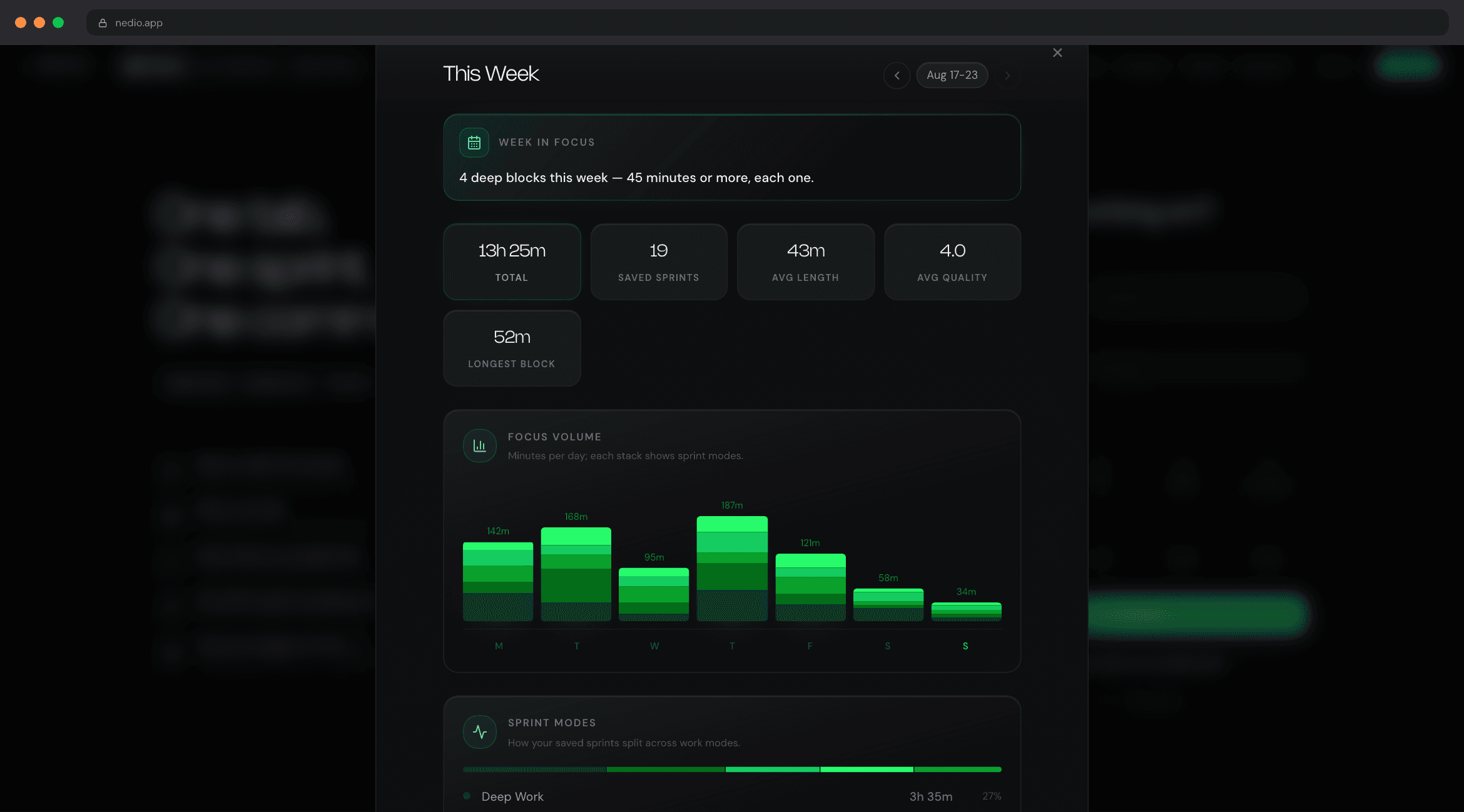
See the goal, duration, work mode, completion, and close-out attached to each sprint.
Weekly patterns
Minutes, sprints, and streaks
Compare the rhythm you repeat across days instead of judging one unusually good afternoon.
Work modes
Code, debug, learn, or plan
Separate kinds of focused work without building a complicated project taxonomy.
How to track focus time in three steps
01
Name one outcome
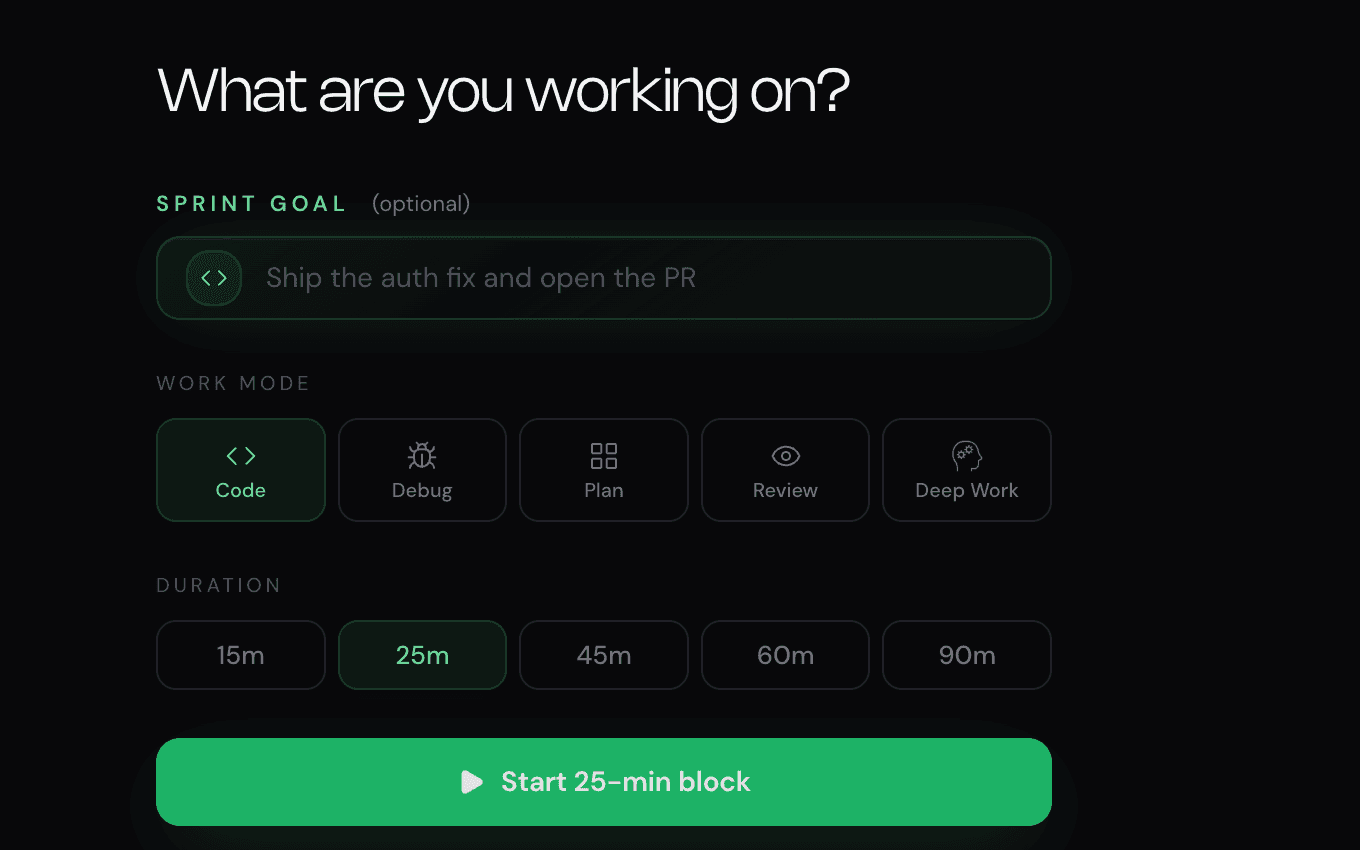
Write the smallest honest result for this block: fix the retry bug, review the PR, outline the migration.
02
Run a bounded sprint
Choose 25, 45, 50, 60, or 90 minutes. The timer and instrumental focus audio start together.
03
Close the loop
Record what landed and leave the next step. The session joins your history and weekly statistics.
How to track coding time without creating admin work
A code time tracker can mean two different things. Billing tools answer “How many hours went to this client?” Automatic activity tools answer “Which app was active?” A coding time tracker for personal focus should answer something else: “Which protected blocks moved meaningful work?”
NEDIO uses deliberate sessions because active-window time is a weak proxy for concentration. An editor can stay open during Slack, lunch, or a meeting. A sprint only begins when you choose a goal and press start, and it ends with a quick account of what actually shipped.
If you need invoicing, payroll, screenshots, or team utilization, use a dedicated project time tracker. If you want to track coding time to improve your own working rhythm, session-level evidence is usually the cleaner signal.
Pomodoro tracker, pomo tracker, or tomato tracker?
The names point to the same basic loop: focused work, a clear stop, and a break. A Pomodoro technique tracker usually counts 25-minute work blocks; a Pomodoro time tracker may also total minutes; and a Pomodoro task tracker connects each interval to an intended outcome.
NEDIO combines all three ideas without forcing strict 25/5 timing. Start with a classic 25-minute pomodoro when activation energy is the problem. Use 45 or 50 minutes for normal implementation, and reserve 60 or 90 minutes for protected high-context work. The history still gives you one consistent record.
For the reasoning behind those defaults, see the Pomodoro alternatives for coding guide. If you are comparing timer-first products, see the best Pomodoro apps for developers.
The focus metrics that actually help
More data is not automatically more useful. A developer productivity tracker should leave you with a few signals that can change next week—not an activity feed that makes a full day look productive by default.
| Metric | What it tells you | What it cannot tell you |
|---|---|---|
| Honest focus time | How much protected time survived pauses | Whether the task was the right priority |
| Completed sprints | How often you started and closed the loop | How difficult each block was |
| Goal hit rate | Whether your sprint scope is believable | The quality of the code you shipped |
| Work-mode split | Where code, debug, learning, and planning time went | Which category deserves more attention |
Track your day without tracking every minute
You do not need to account for the entire day to learn from it. Track the blocks that need protection: the morning implementation sprint, the debugging block after lunch, or the hour reserved for a difficult review. Leave meetings, email, and routine admin out unless they are the habit you are trying to change.
At the end of the week, look for one adjustment. Maybe 90-minute blocks keep stalling, 25 minutes is too short after context reload, or planning sessions reliably make the next coding sprint easier. The tracker earns its place when it changes a decision—not when it merely produces a larger number.
Choosing the best Pomodoro tracker for developer work
The best Pomodoro tracker is the one whose record matches the decision you want to make. Before choosing a Pomodoro tracker app, decide whether you need billing, blocking, team reporting, or a calmer personal focus loop.
Generic timer
Best for: A quick countdown
Easy to start, but usually leaves no useful record of the task or outcome.
Project time tracker
Best for: Billing and reporting
Strong project accounting, but often too much administration for a personal focus habit.
Website blocker
Best for: Removing known distractions
Protects attention, but does not define the task or show what the block produced.
NEDIO
Best for: Developer focus sessions
Timer, instrumental audio, task intent, close-out, history, and weekly stats in one loop.
If you want a Pomodoro tracker online with no install, try the launcher at the top of this page. If you need a timer inside the editor, NEDIO also works in VS Code and Cursor.
Frequently asked questions
What is a focus time tracker?
A focus time tracker records deliberate work sessions instead of simply counting every minute an app is open. In NEDIO, you set one goal, choose a sprint length, start the timer, and save the result when the block ends. The history shows focused minutes, sprints, streaks, work modes, and weekly patterns.
Is NEDIO a free online Pomodoro tracker?
Yes. You can start a timed session in the browser without installing anything. NEDIO includes 30 minutes of focus audio per day without an account and 60 minutes when signed in. The timer, session history, close-out, and weekly focus statistics remain available on the free plan.
Can NEDIO track coding time?
Yes. Choose the Code work mode, write a concrete goal, and start a sprint. NEDIO records the planned duration, honest focus time minus pauses, completion, and your end-of-session note. It is designed for personal focus patterns, not client billing or employee surveillance.
Does the Pomodoro tracker support intervals other than 25/5?
Yes. You can start with common 25, 45, 50, 60, and 90 minute work blocks. Pro adds custom work and break intervals, so you can use 25/5, 45/15, 50/10, or a rhythm that better matches the task.
What is the difference between a Pomodoro task tracker and a normal time tracker?
A normal time tracker often measures hours for projects, payroll, or billing. A Pomodoro task tracker connects one intended outcome to one bounded focus interval. NEDIO follows the second model: decide what should move, run the block, then record what actually landed.
Can I use NEDIO as a deep work tracker?
Yes. Use longer protected blocks for high-context work, then review the weekly view to see how much honest focus time you completed and which work modes or durations you actually repeat.
Does NEDIO monitor which apps, files, or websites I use?
No. NEDIO tracks the sprint you intentionally start and the outcome you enter. It is not an automatic activity monitor and does not need to inspect your code to produce personal focus statistics.