The short answer
The best AI tools for students are the ones that match one job each. Use Gemini Notebook to question your own sources, RemNote for flashcards, Otter.ai for lectures, Grammarly for the final writing pass and Wolfram Alpha to check math. None of them starts the work for you. NEDIO covers that gap: a timed block with a goal, and a weekly review of the blocks you finished.
How this list works
We grouped tools by what a student actually does in a term: read, ask, write, listen, memorise, calculate, organise, and sit down and do the work. A tool appears once, for the job it is best known for. The order after NEDIO is not a ranking.
Prices and limits come from each vendor’s own pages, checked on October 20, 2026. Some pages showed prices in another currency or would not load, and we quote only what we could read. Other publishers’ lists were not used for facts.
1. NEDIO: the block and the weekly review
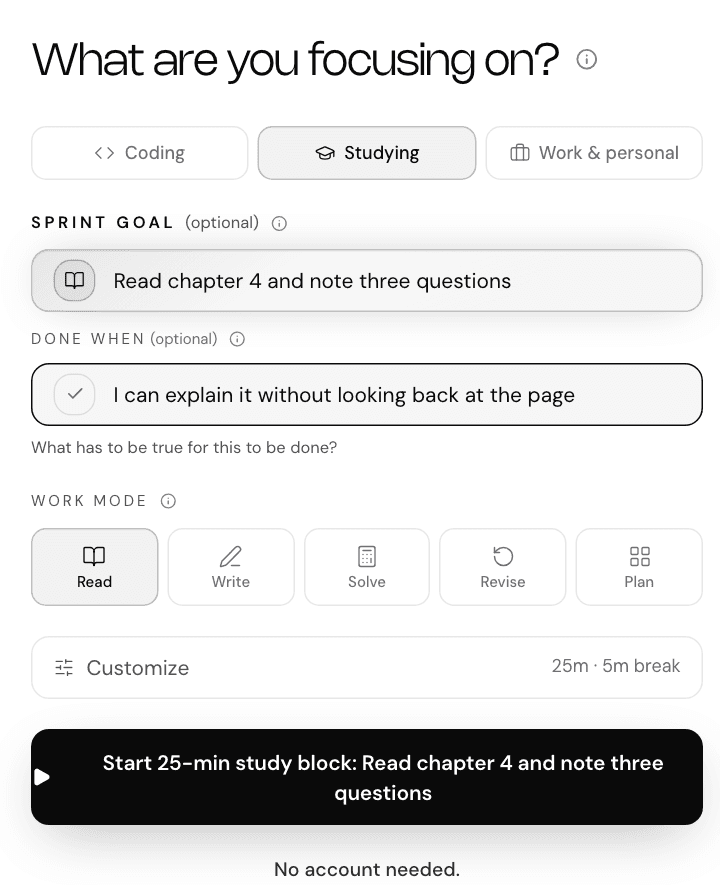
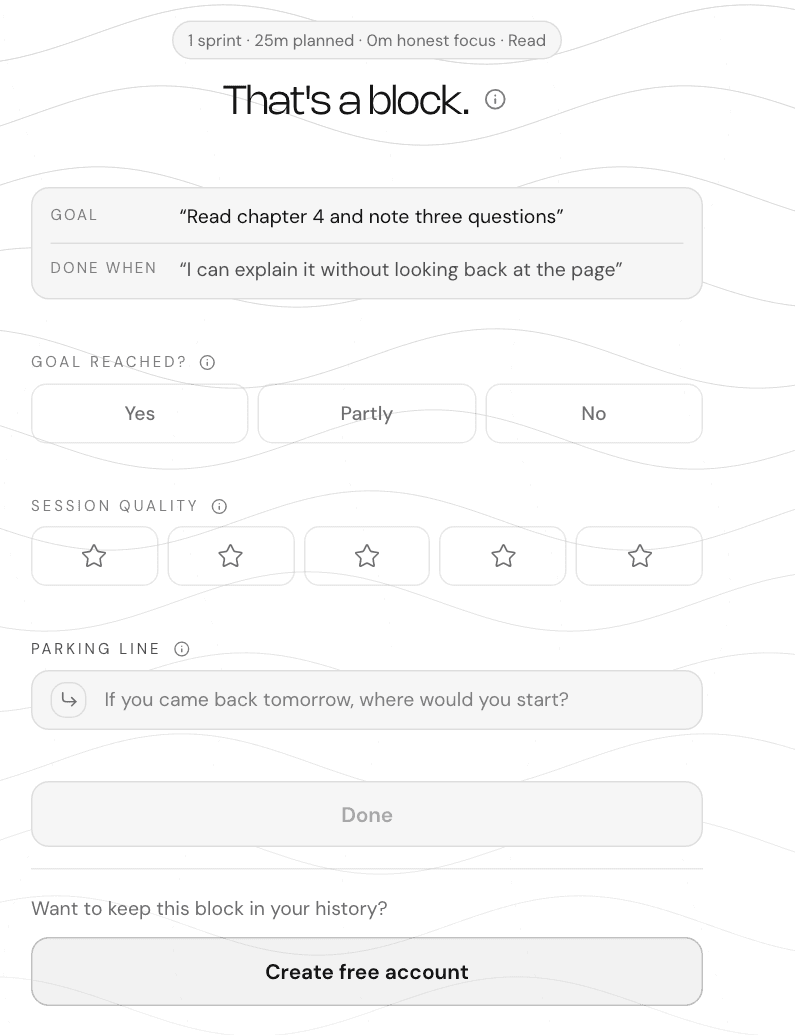
The job: get one block of study done, and look back at it. NEDIO is a timer, not a tutor. You name what you are working on and a “done when” line, pick a mode (Read, Write, Solve, Revise, Plan), start, and close the block with an outcome and a note.
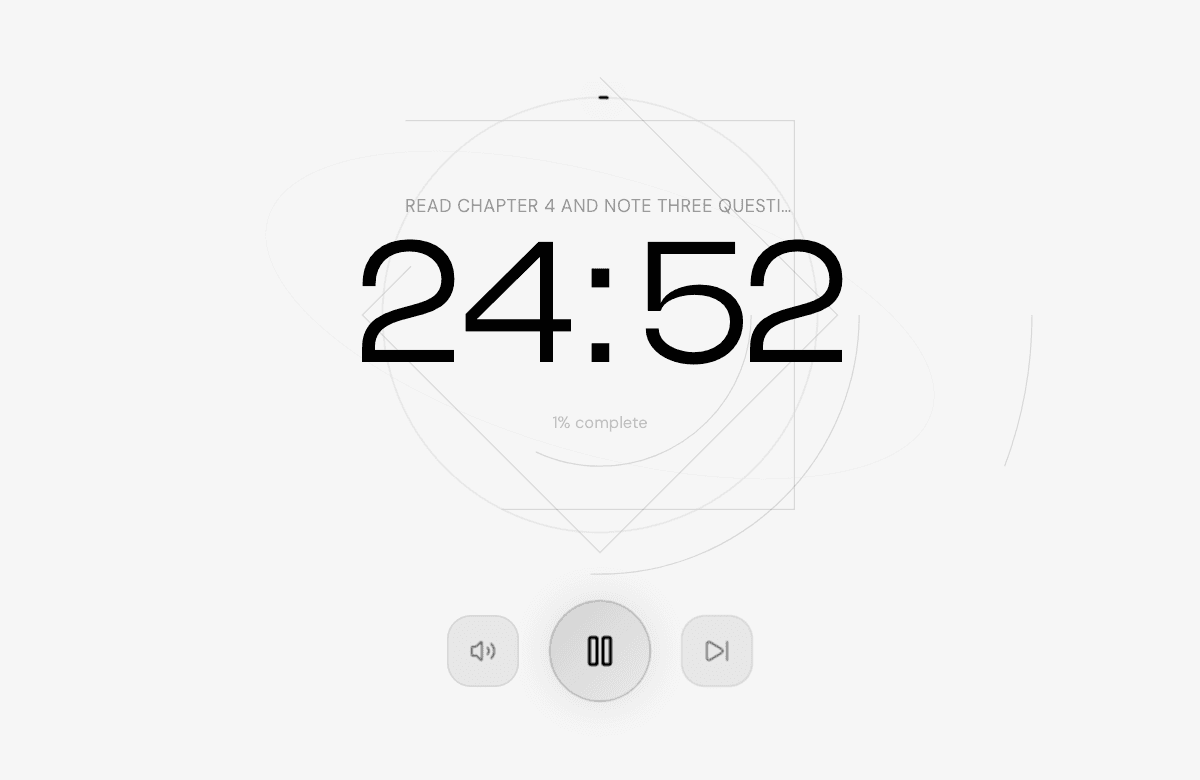
Sprints of 15, 25, 45, 60 or 90 minutes and breaks of 3, 5, 10 or 15 minutes, on every plan. The default is 25 minutes with a 5-minute break, and a longer break (3 times the chosen break, 15 minutes by default) after every fourth block. Audio is part of the block: NEDIO plays curated instrumental audio, with no lyrics and no ads, as one stream per sprint with no track or station picker. The audio is generated with a third-party generative music tool in advance and assembled into continuous mixes by NEDIO. It is not recorded by performers or licensed from a music library.
What the weekly AI Review is
AI Review is Pro in full: the weekly recap, observations, comparisons, one experiment at a time, and the ledger. Free accounts keep their weekly focus statistics. It works from counts: how many blocks, which modes, how long, and how the goals landed. It does not teach or answer questions, and, with one exception described below, it does not read what you wrote.
The register NEDIO writes under is plain: a recap every week, an observation most weeks, and a verified pattern when your data actually supports one. A comparison is shown only with at least 14 qualifying sprints on 8 separate days, at least 14 days since your first close-out, and a difference that is both large enough and statistically significant (p at most 0.05, with a correction for the number of comparisons tried). Most weeks nothing clears that, and the review says so.
The model is handed counters and labels the product defined: counts of sprints, time windows, a work mode, a length range, and the direction and size of a difference. It writes one sentence from them. Sprint goals, “Done when” lines, reflection notes, support messages, your email address or account identifiers, and source code, file names, or repository names are never sent. There is one exception. An observation about a next step you keep writing down has to quote it to be worth reading, so after the same the parking line has appeared in 3 sprints, it is sent to Anthropic to be phrased, shortened to 120 characters. You can turn this off in Settings → Email and privacy. The same observation about the same line is written from NEDIO’s own template, and the text stays with us.
Free and Pro
30 minutes of audio a day without an account, 60 with a free account. The timer, work modes, and close-out are free, and a free account adds session history and weekly focus statistics. A sprint starts with audio, so using the allowance up also stops new sprints until it resets. Pro adds unlimited focus audio, AI Review, experiments, and experiment ledger, at $11.99 a month or $119.90 a year, with a 15-day trial. See pricing and the AI Review page.
Watch out: NEDIO does not check whether your goal was reached or whether your code works. It records what you tell it. It has no task list and no choice of music, and it is not a note app or a research tool.
2 to 8. Seven AI tools for students, one job each
Checked on October 20, 2026. If a vendor page did not say something, the card says so.
Gemini Notebook (formerly NotebookLM)
Answer from your own sources
- What it is
- Google’s research notebook. You add your readings, slides and notes, then ask questions that it answers from those sources.
- Plan facts
- Google’s page now uses the Gemini Notebook name. Its standard personal tier allows up to 50 sources per notebook. Generation limits vary with the feature and the computing needed, so Google does not publish one fixed message count.
- Watch out
- It answers from what you give it. A wrong or missing source gives a wrong or missing answer, so check anything you will cite.
Source: Gemini Notebook
ChatGPT
Explain it another way
- What it is
- A general chatbot. Useful when you want a concept explained at your level, or a practice question on a topic you already studied.
- Plan facts
- The Free plan includes text chats, search and limited access to uploads, images, voice and deep research. OpenAI does not publish one fixed message allowance because limits vary by model and can change.
- Watch out
- It can state wrong things fluently. Use it to get unstuck, then confirm in your course material.
Source: ChatGPT pricing
Grammarly
Clean up what you wrote
- What it is
- A writing checker for grammar, tone and clarity, with AI rewrites on the paid plan.
- Plan facts
- The free plan includes 100 AI prompts a month, and Pro lists 2,000. Its plans page says discounts exist for educational institutions and points to a separate page. We did not read a student price.
- Watch out
- Rewrites can turn your voice into generic prose, and some courses count heavy AI rewriting as AI use. Read the rule first.
Source: Grammarly plans
Otter.ai
Capture a lecture
- What it is
- Records and transcribes spoken audio, with summaries and searchable notes.
- Plan facts
- The free plan allows 300 minutes of transcription a month, 30 minutes per conversation, and 3 imported files for the life of the account. Pro lists $16.99 a month, and the page says students and teachers with a .edu email get 20% off ($13.59 a month, or $6.67 a month billed $79.99 a year).
- Watch out
- A 30-minute cap means a long lecture needs a paid plan or a split recording. Ask before you record a class.
Source: Otter.ai pricing
RemNote
Turn notes into flashcards
- What it is
- A note app built around spaced-repetition flashcards, with AI features for making cards from your files.
- Plan facts
- Free includes unlimited notes and flashcards, 250 AI credits a month and up to 20 file uploads a day. Pro is $8 a month ($96 billed yearly), and Pro with AI is $18 a month ($216 billed yearly). Eligible students, faculty and staff can get 25% off the Pro part.
- Watch out
- AI-made cards are only as good as the file you feed in. Read them before you trust them.
Source: RemNote pricing
Wolfram Alpha
Check exact math and science
- What it is
- A computation engine for math, physics and chemistry, rather than a chatbot.
- Plan facts
- A free Basic account does not include step-by-step solutions. Pro includes them and is $9.99 month to month or $5 a month billed $60 yearly; the same subscription unlocks Pro features in the iOS and Android apps.
- Watch out
- It checks an answer. It does not do the learning for you, and some courses limit calculator-style tools.
Source: Wolfram Alpha pricing
Notion
Keep notes and a plan in one place
- What it is
- A workspace for notes, tasks and databases, with Notion AI on top.
- Plan facts
- The Free plan includes a limited trial of Notion AI. The Plus plan is free for students and educators with a school email, limited to one member.
- Watch out
- It is easy to spend a week building the setup. Keep it to one page for the term.
Source: Notion pricing
The same facts in one table
Free-plan facts as read on October 20, 2026. Limits can change, so confirm them on the vendor page before relying on them.
| Tool | Job | Free plan |
|---|---|---|
| NEDIO | The work block and the weekly review | Free browser app and free account. AI Review is Pro. |
| Gemini Notebook | Questions answered from your sources | Standard tier: up to 50 sources per notebook. |
| ChatGPT | Explanations and practice questions | Free plan; limits vary by model and feature. |
| Grammarly | Writing cleanup | Free: 100 AI prompts a month. |
| Otter.ai | Lecture transcripts | Free: 300 min a month, 30 min each. |
| RemNote | Flashcards from notes | Free: unlimited notes and cards, 250 AI credits a month. |
| Wolfram Alpha | Exact math and science checks | Basic is free; step-by-step solutions need Pro. |
| Notion | Notes and a term plan | Free, with a limited AI trial. Plus is free for students. |
Course rules and disclosure
Whether you may use an AI tool is set by the course, not by the tool. Stanford’s Center for Teaching and Learning tells students to treat AI use as not allowed unless the course says it is, to disclose any use, and when unsure to “ask and document”. It also lists what these tools get wrong: invented facts, bias from training data, and citation errors.
A practical routine: read the syllabus line on AI before the first assignment, keep a short note of what you used and for what, and check every fact or citation an AI tool gives you against the source. Read the full guide at Stanford CTL.
Why one week is not a verdict
None of the seven pages we read while preparing this guide covers this. NEDIO’s own calculation: with five blocks a week, the 95% interval around a weekly goal-landing rate is about ±43 percentage points. Four of five goals met one week and two of five the next is inside that noise. To detect a real change from 60% to 70% you would need about 353 blocks per group, and 149 to detect 60% to 75%.
These are NEDIO’s own figures, from a normal approximation for a proportion, two-sided, at α = 0.05 and 80% power. They are why the review is written as a recap with its counts, and why it says nothing when the data cannot support a claim. An experiment needs at least 14 days and 8 occasions when you followed the change before a verdict is possible. After 12 weeks with too little evidence, it closes as unanswered.
It is also why the wording matters. Feedback that points at the task can help, and feedback that points at the person often backfires: in a meta-analysis of 607 effects, more than a third of interventions lowered performance. A review that says “3 of 5 blocks finished, mostly in the morning” points at the work. “You are inconsistent” does not.
A written “done when” line is a small, cheap aid. Across 94 studies, if-then plans have a medium-to-large effect (d = 0.65), but reviews that rely on objectively measured behaviour report smaller ones. Use it, and do not expect a lot from it. For the habit itself, see how to stop procrastinating.
Primary sources and references
These sources support the directional claims above. Neither studied students using AI tools.
- Kluger, A. N., & DeNisi, A. (1996). “The effects of feedback interventions on performance: A historical review, a meta-analysis, and a preliminary feedback intervention theory.” Psychological Bulletin, 119(2), 254–284.
DOI: 10.1037/0033-2909.119.2.254
A meta-analysis of 607 effects. Feedback helped on average, but more than a third of the interventions made performance worse, and feedback that pointed attention at the person rather than the task was the main reason. It is why a review of your week should describe the work, not judge you.
- Gollwitzer, P. M., & Sheeran, P. (2006). “Implementation intentions and goal achievement: A meta-analysis of effects and processes.” Advances in Experimental Social Psychology, 38, 69–119.
DOI: 10.1016/S0065-2601(06)38002-1
Across 94 studies, if-then plans had a medium-to-large effect on goal attainment (d = 0.65). Later reviews that looked only at objectively measured behaviour report smaller effects, so treat a written “done when” line as a modest aid.
One day with three tools
Three tools is a workable limit. A plausible day for a student with an essay due: record the morning lecture with Otter.ai if the instructor allows it, then run one 45-minute NEDIO block in Read mode with the goal “find three sources for section two” and a “done when” line. Put those sources into Gemini Notebook and ask where they disagree. Run a second block in Write mode on the draft, and finish with a Grammarly pass if the course allows it.
At the end of the week, look at the blocks themselves: how many you started, how many you closed, and in which mode. If you have Pro, the AI Review puts that into a short recap. If not, the weekly focus statistics on a free account show your blocks and minutes. Either way, the useful question is what to change next week, not whether last week was good. The wider habit is in deep work, and the evidence on breaks is in focus habits, breaks and interval design.
What we checked, and what we did not
Checked on October 20, 2026: the vendor pages linked on each card, RemNote’s education-discount help page, Stanford’s student guide, and NEDIO’s own product facts. Where a vendor uses adaptive limits instead of one fixed allowance, the card says so.
Not done: we did not test each tool hands-on or measure results. Descriptions of what a tool is for are general descriptions, and the table is not a ranking.
Interest: NEDIO is our product. Vendor terms change, so confirm before you pay. The search volumes behind this page’s topic are Semrush estimates for the US, not measured demand.
Where to start
Start with one job, not eight tools. Pick the tool for the part of the term that costs you the most time, check your course’s rule on AI, and add one timed block a day with a goal and a “done when” line. After a week, look at how many blocks you started and closed. That answers the question this guide began with: the tools help with the work, and the block is what gets it done.
Try one block, or see NEDIO for students and pricing for what is free and what Pro adds.
Frequently asked questions
What are the best AI tools for students?
It depends on the job. Gemini Notebook answers from your own sources, RemNote turns notes into flashcards, Otter.ai captures lectures, Grammarly cleans up writing, and Wolfram Alpha checks exact math. NEDIO is the one here for the study block itself and the weekly review of it.
What are free AI tools for students?
On the check date Grammarly, Otter.ai, RemNote, Notion and NEDIO had free plans with stated limits, listed in the table above. Notion Plus is free for students with a school email. Plans change, so confirm on the vendor’s page.
Should students be allowed to use AI tools for schoolwork?
That is each course’s decision, not ours. Stanford’s teaching center advises students to assume AI use is not allowed unless the course says otherwise, to disclose any use, and when in doubt to ask and document.
Which AI tool is best for college students?
There is no single best one. Pick by the job: sources, flashcards, lecture capture, writing, math, or the work block. Start with one or two and drop what you do not open in a week.
Is NEDIO an AI tutor?
No. NEDIO is a focus timer with a goal, a done-when line, instrumental audio and a close-out. AI Review is a Pro feature that summarises your own sprints. It does not teach, answer questions or chat.
Is AI Review included in the free plan?
No. AI Review is Pro in full: the weekly recap, observations, comparisons, one experiment at a time, and the ledger. Free accounts keep their weekly focus statistics.